HOA Gate & Amenity
Access Control
Bluetooth, NFC, fob, and keypad entry for your gates, pool, clubhouse, and tennis or pickleball courts, all synced directly to your resident database. No separate system. No manual updates.
 Ben SikesClubhouseiPhoneGranted18m ago
- Unknown cardFitness CenterKey cardDenied45m ago
 John BaldwinTennis CourtsApple WatchGranted1h ago
Access control built into the same platform you already use,
so gates and doors automatically sync with resident data.
Secure Every Access Point
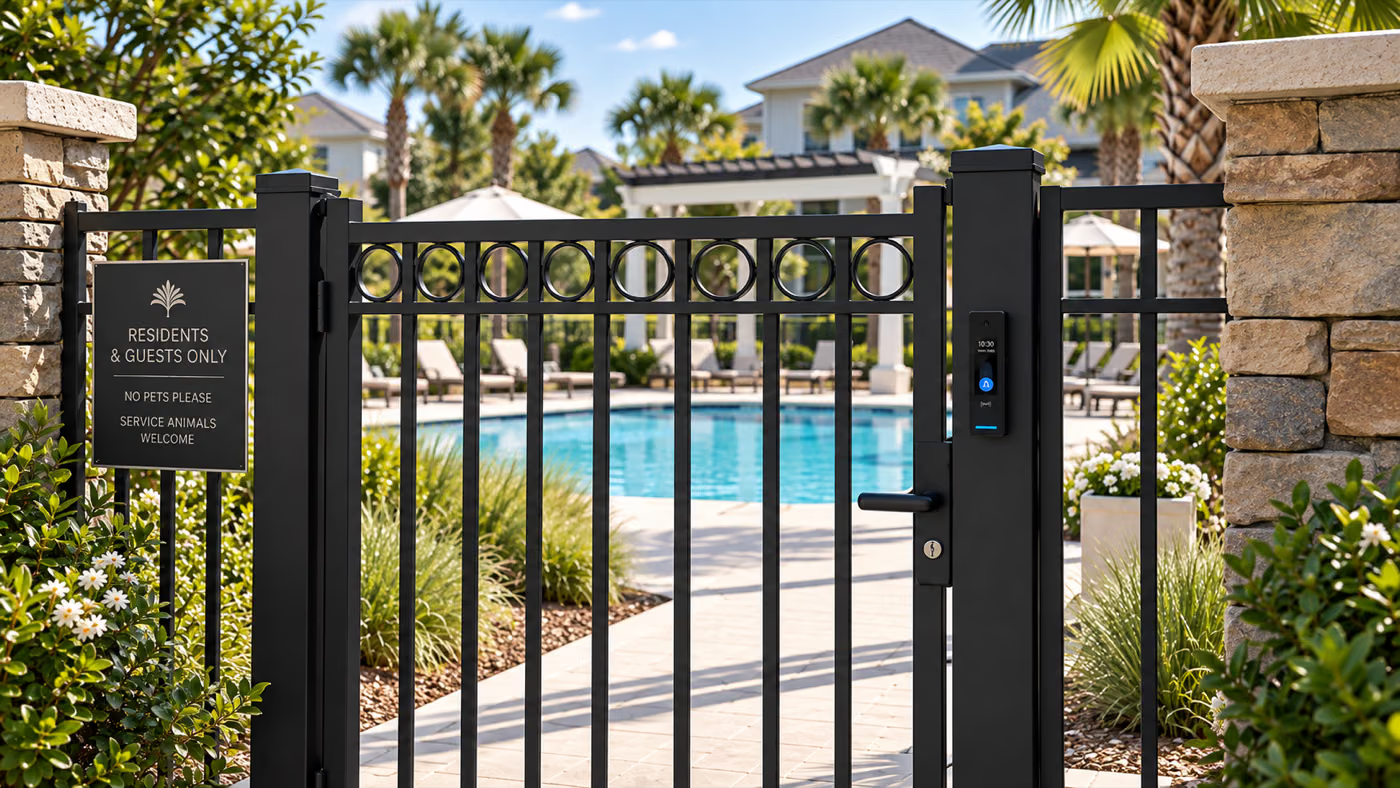
Anywhere your community has a gate, a door, or a latch, Communitrak can control who opens it and when.
Vehicle Gates
Community entrance and exit gates for vehicles.
Pools & Spas
Pool gates with time-based access scheduling.
Clubhouses
Controlled access to community gathering spaces.
Fitness Centers
Secure gym and fitness facility door access.
Tennis & Pickleball Courts
Bluetooth or fob entry at court gates, limited to the residents you authorize.
Dog Parks & Playgrounds
Gated play areas, mail rooms, and storage yards on the same system.
Access That Stays in Sync Automatically
Gate and door access syncs directly with your resident database. When someone moves in, they get access. When they move out, access is automatically revoked. No manual updates required.
- New residents automatically provisioned
- Inactive households lose access instantly
- No manual updates to other systems required
- Customize access rules for individual users, roles, or member groups

- Bluetooth unlockiPhone, walk up and the gate opens
- Smartphone tapApple Watch, tapped on the reader
- •••• 3F2ANFC cardTap to unlock doors and gates
- •••• 81C4Key fobCarried over from the old system
- •••• ••Keypad PINFor the clubhouse and gym keypads
Bluetooth, NFC, Fob, or Keypad Entry
Residents unlock gates and doors however they prefer. On supported readers, Bluetooth lets them walk up and open the pool gate without taking their phone out of a pocket. Everyone else can tap an NFC card, use a key fob, or punch in a keypad code. Existing fobs from a previous system can often be carried over, so nobody has to be re-badged on day one.
- Bluetooth unlock from iOS, Android, or Apple Watch
- NFC cards, key fobs, and keypad PIN codes
- Multiple cards and fobs per household
- Existing fobs often compatible
Time-Based & Role-Based Access Rules
Configure access windows for amenities like pools, courts, and fitness centers, and set different permissions based on resident roles or groups. Control exactly who can access what, and when. For amenities residents book in advance, Communitrak also runs amenity reservations on the same resident database.
- Schedule access by day and time
- Role-based permissions for different groups
- Restrict amenities during off-hours automatically
- Margot WaltersPool gate, iPhoneGranted9:14 AM
- Ben SikesClubhouse, NFC cardGranted8:47 AM
- Unknown cardFitness Center, NFC cardDenied8:22 AM
- John BaldwinMain gate, Keypad PINGranted7:56 AM
 Meredith BarlowTennis Courts, Apple WatchGranted7:31 AM
Complete Audit Trail for Every Entry
Every entry attempt is logged with a full audit trail. Know who accessed what, when, and whether they were granted or denied. Perfect for security reviews, incident investigations, and board reporting.
- Timestamp, identity, and location for every event
- Denied attempts flagged for review
- Exportable for board meetings and reports
Always-On Reliability
Doors & gates continue to function even if internet connectivity is lost. The Communitrak Access Bridge keeps your system running locally while staying in sync with the cloud when connectivity is restored.
- Local server operates independently during outages
- Automatic sync when connectivity is restored
- No downtime for your community's access
- Connection
- Online
- Last heartbeat
- 30 seconds ago
- Sync status
- All members are synced
How It Works
From hardware to management, we handle the complexity so you don't have to.
- Step 1
We Ship & Install
We pre-configure and ship enterprise-grade hardware directly to your community. Install it yourself, or we'll partner with a local vendor to handle professional installation.
- Step 2
Connect to Communitrak
Hardware connects via Ethernet to your network. Our proprietary Communitrak Access Bridge keeps everything in sync with the cloud, ensuring access is always available.
- Step 3
Manage from Communitrak
Assign cards, set access rules, and view entry logs — all from the same platform you already use to manage your community. No separate system to learn.
Hardware & Installation
Enterprise-grade equipment with flexible installation options for every community.
Enterprise-Grade Equipment
- Secure, tested, and commercially supported hardware
- Many communities can keep existing magnetic or electric strike locks
- Existing wiring can often be reused depending on installation
- Connects to your network via standard Ethernet cable
- Vehicle entrance gates supported
Flexible Installation
We ship pre-configured hardware to your community. Your maintenance team or a handy board member handles the physical installation.
We partner with a local vendor in your area to handle professional installation, ensuring everything is set up correctly from day one.
Communitrak Access is an add-on service, priced per door. See pricing
See Communitrak Access in action.
Schedule a personalized demo and we'll walk you through how Access can secure your community.
Frequently Asked Questions
Common questions about access control with Communitrak.
Yes. On supported readers, residents can unlock over Bluetooth from an iPhone, Android phone, or Apple Watch without taking the device out of a pocket or bag. Readers also accept an NFC tap from the same phone or watch, so residents can use whichever they prefer. NFC cards, key fobs, and keypad PIN codes work alongside it for anyone who would rather not use a phone at all.
Yes. Court gates work the same way as a pool gate or clubhouse door: fit a reader, and entry is limited to residents you have authorized. Because credentials come from your resident database, access follows the household automatically, and you can restrict courts to specific hours or to particular resident groups without maintaining a separate list.
Anywhere with a gate, door, or latch: vehicle entry gates and booms, pools and spas, clubhouses, fitness centers, tennis and pickleball courts, dog parks and playgrounds, mail rooms, and storage yards. Each access point is priced per door, so you can start with the pool and add others later.
In many cases, yes. Existing card readers, wiring, door locks and strikes, and access cards can often be reused. We'll work with you to assess your current setup. Note that using existing hardware may limit which features are available.
Communitrak Access supports standard NFC fobs and cards. If your community already has fobs from a previous system, they can often continue to be used, making the transition seamless. However, security may be reduced if existing cards and fobs do not meet current industry standards.
Yes. Communitrak Access supports vehicle entry gates and boom barriers, giving your community controlled, automated access at every entrance.
The Communitrak Access Bridge keeps a local server running at your community that caches all credentials. If your internet connection goes down, access continues to work normally using locally stored data. When connectivity is restored, everything syncs back up automatically.
We pre-configure the hardware and ship it directly to your community. From there, you have two options: DIY installation by your maintenance team or a handy board member, or we can partner with a local vendor in your area for professional installation. Typically we replace the controller and keypad/reader. Existing locks and wiring can often be reused.
Communitrak Access is an add-on starting at $69/mo for your first door and $29/mo for each additional door. Pricing does not include hardware or installation. Connect with us for a quote tailored to your community.